Convert EML to PST Without Changing Folder Structure and Email Formatting
EML files are widely used by email applications to store individual messages along with important information such as sender, recipient, subject, date, attachments,message formatting
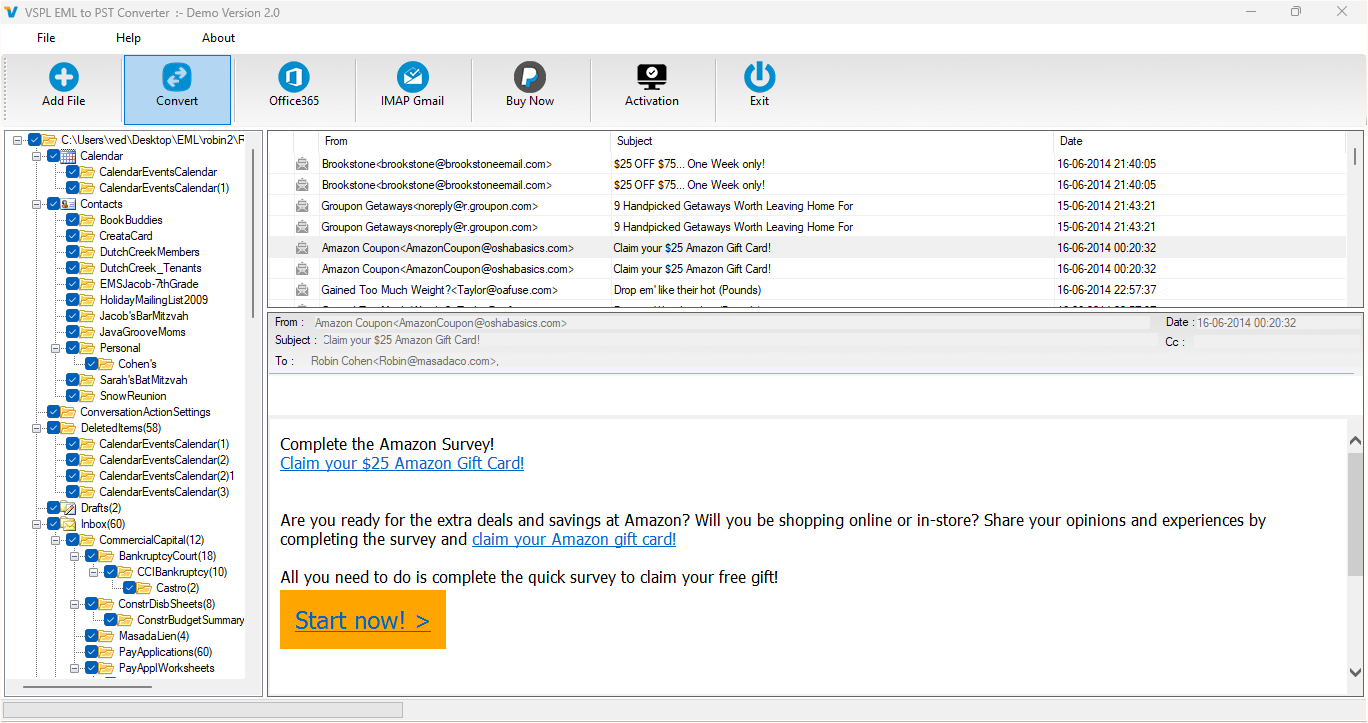
EML files are widely used by email applications to store individual messages along with important information such as sender, recipient, subject, date, attachments, and message formatting. When users need to move these emails to Microsoft Outlook, converting them into PST format is a practical approach. However, the migration becomes more challenging when the original folder hierarchy and email formatting must remain unchanged. A proper conversion process should preserve the organization of the mailbox as well as the appearance and properties of individual messages.
Why Preserve Folder Structure During EML Migration?
Email folders help users organize their communication according to projects, clients, departments, dates, or other requirements. During migration, losing this structure can make it difficult to locate older messages. For example, if EML files are arranged inside Inbox, Sent Items, Drafts, and custom subfolders, users generally expect the same organization after moving the data into Outlook.
A reliable EML to PST conversion process should therefore maintain the original folder hierarchy. The VSPL solution supports maintaining folder hierarchy while saving EML data into an Outlook data file.
Why Email Formatting Matters?
Email formatting is another important part of mailbox migration. Professional emails may contain HTML text, hyperlinks, images, different fonts, tables, and other formatting elements. If this information is changed during conversion, the migrated messages may not look the same as the original emails.
Users should therefore select a solution that focuses on preserving message formatting and attributes. The VSPL EML to PST Converter is designed to convert EML files to PST while maintaining message formatting and attributes.
Use VSPL EML to PST Converter for Reliable Migration
The VSPL EML to PST Converter is designed to help users migrate EML mailbox data into Outlook-compatible PST format. It supports EML files from platforms such as Windows Mail, Thunderbird, Eudora, and other applications that use EML or EMLX files.
The software can automatically scan EML files and display them within its interface. Users can also manually select the required EML files before conversion. Its preview facility allows users to inspect email messages and attachments before saving the converted data.
Another important benefit is that the software can preserve the original properties and on-disk folder structure of migrated email items. This helps users maintain a familiar organization after the conversion.
How to convert EML to PST Without Changing the Structure?
The migration process can be completed through a few straightforward steps:
Step 1: Launch the Software
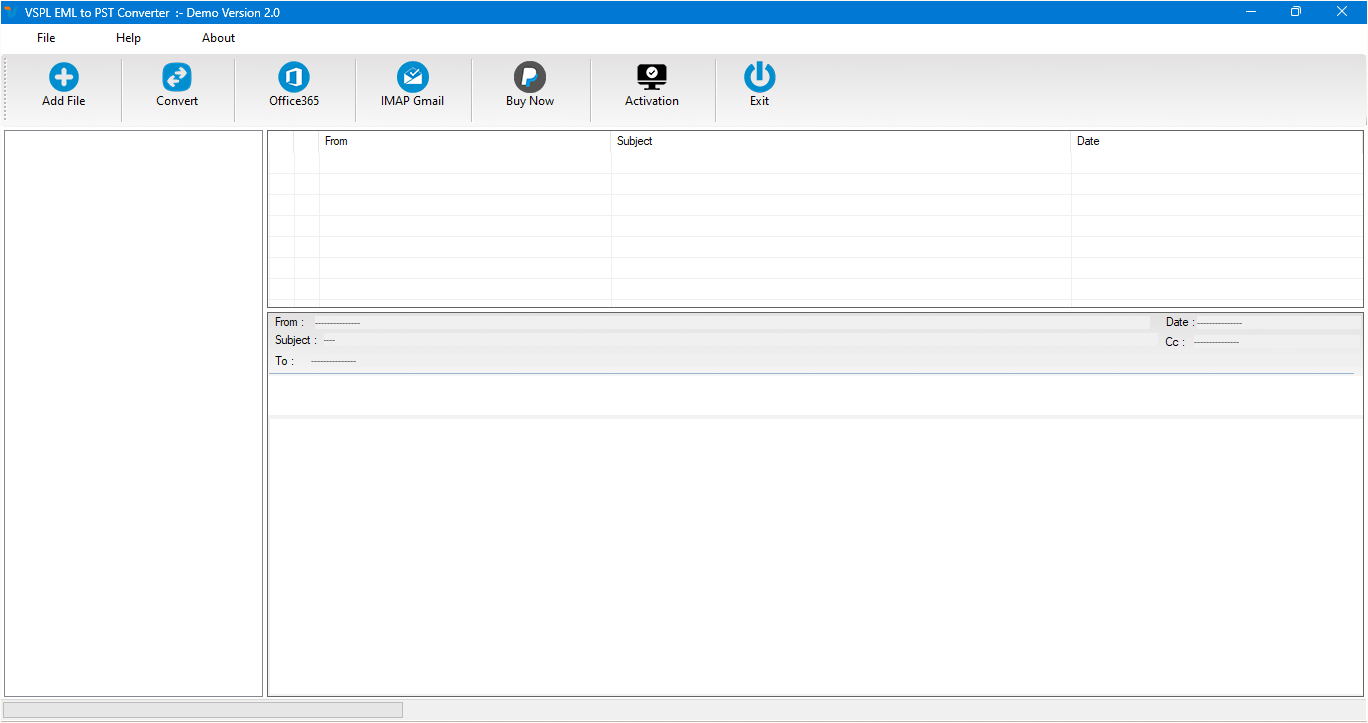
Install and launch the EML to Outlook converter tool on your Windows computer. The application provides an interface for selecting and reviewing EML files.
Step 2: Select the EML Folder
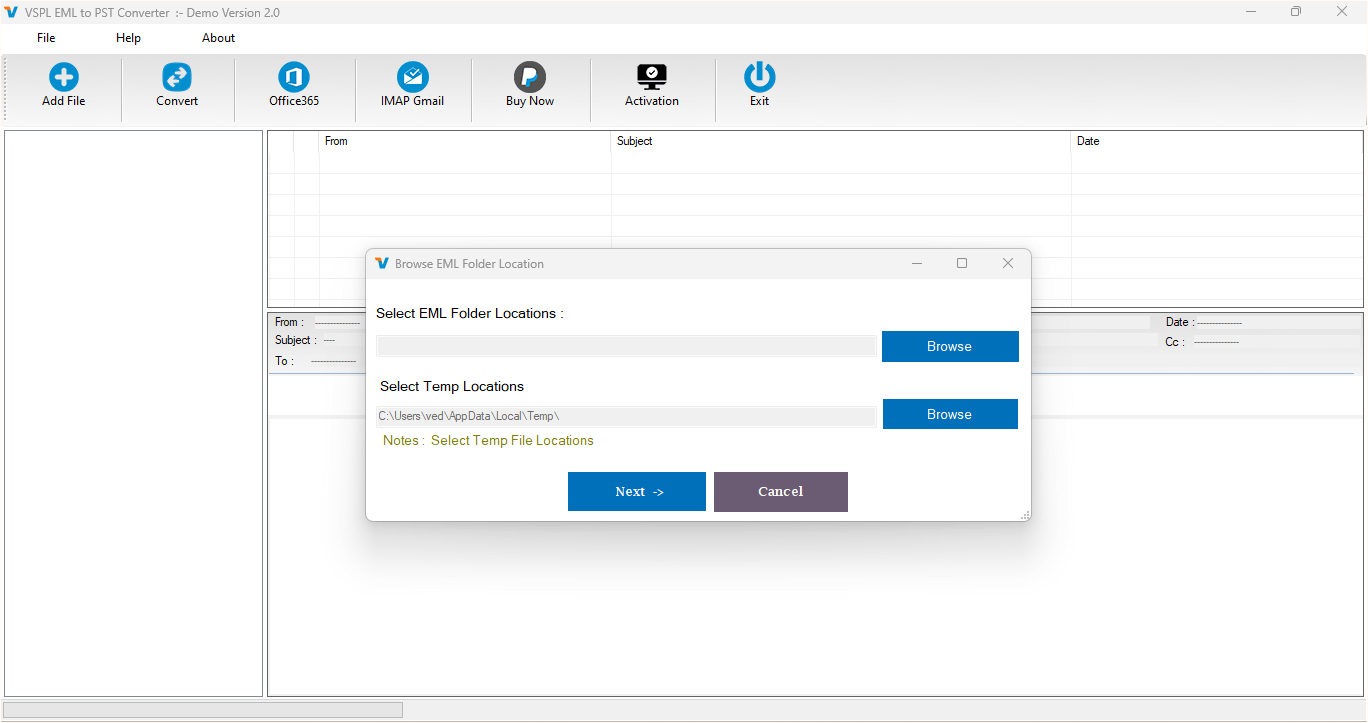
Choose the folder where your EML files are stored. The software can automatically load the available EML files and display them in the interface.
Step 3: Preview Emails and Attachments
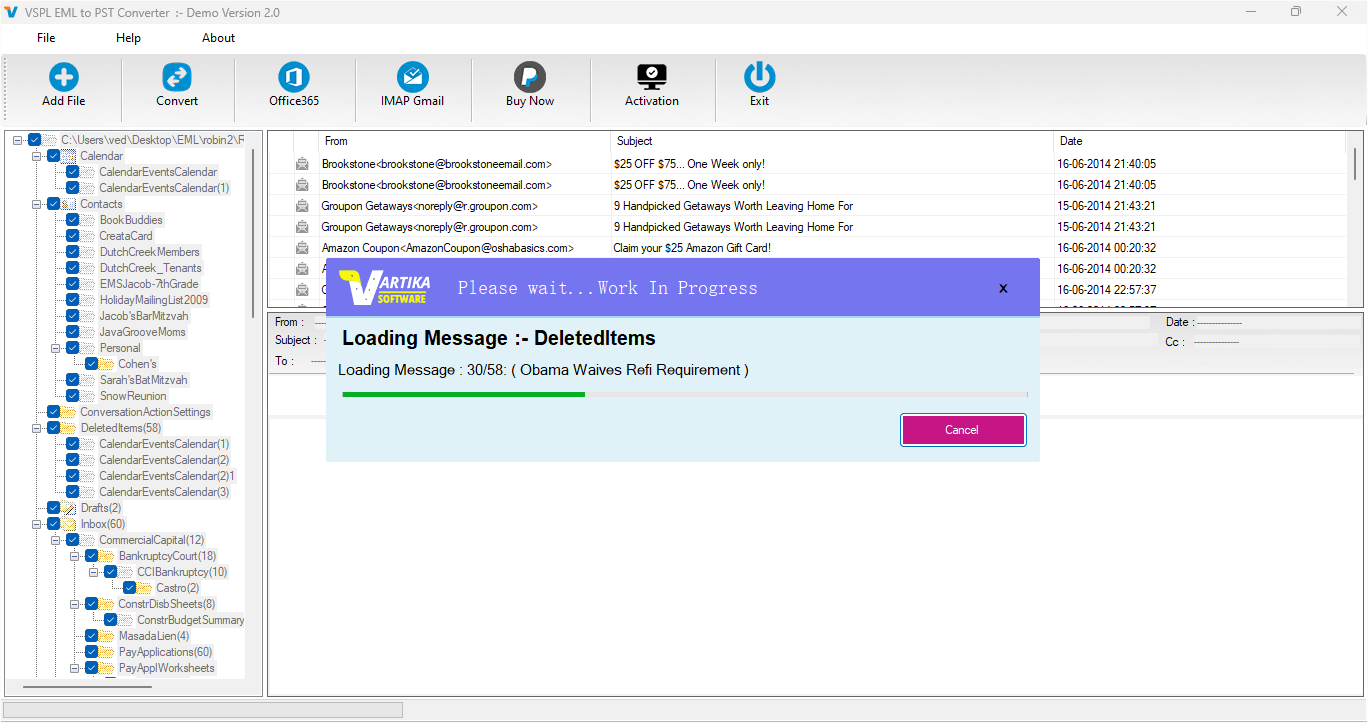
Before starting the conversion, preview the available messages. This helps verify email content, attachments, and other mailbox information. The built-in viewer supports previewing selected EML/EMLX email messages and their attachments.
Step 4: Select PST as the Output
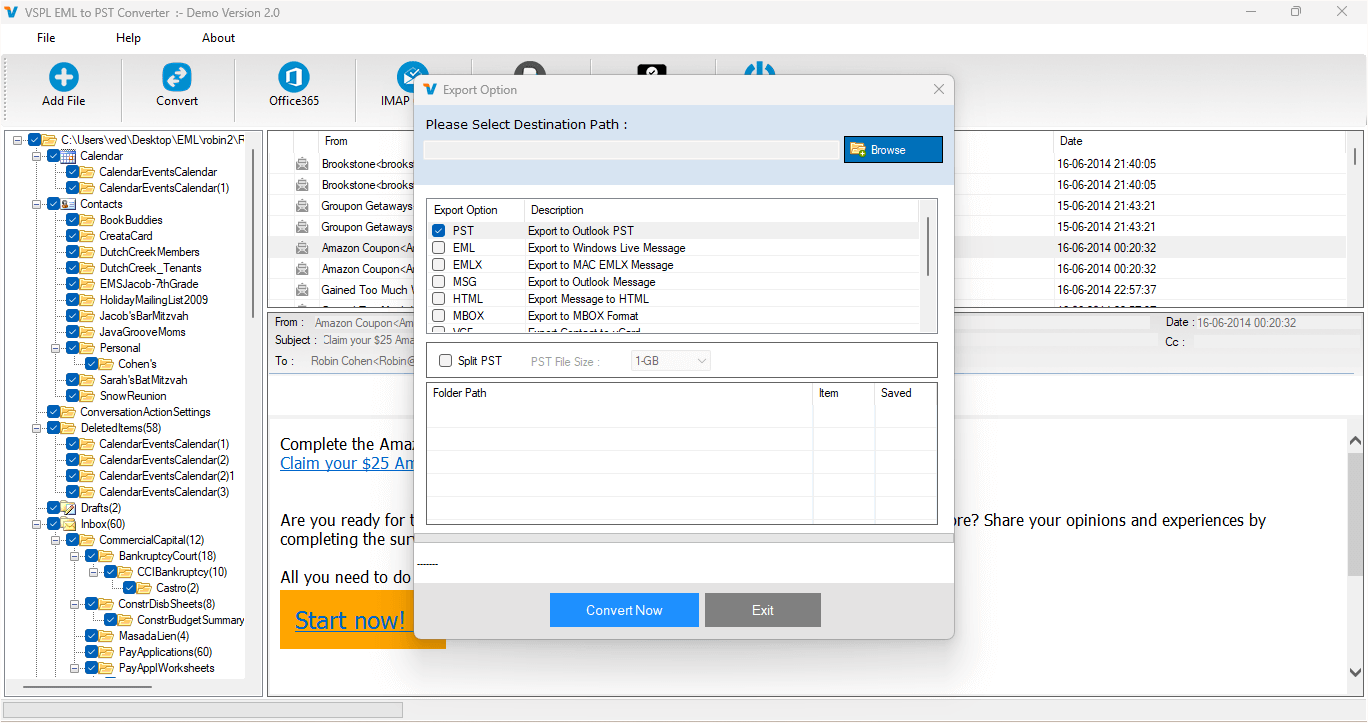
Choose PST as the required output format. The software supports creating a new PST file and can also save EML data into an existing PST file.
Step 5: Start the Conversion
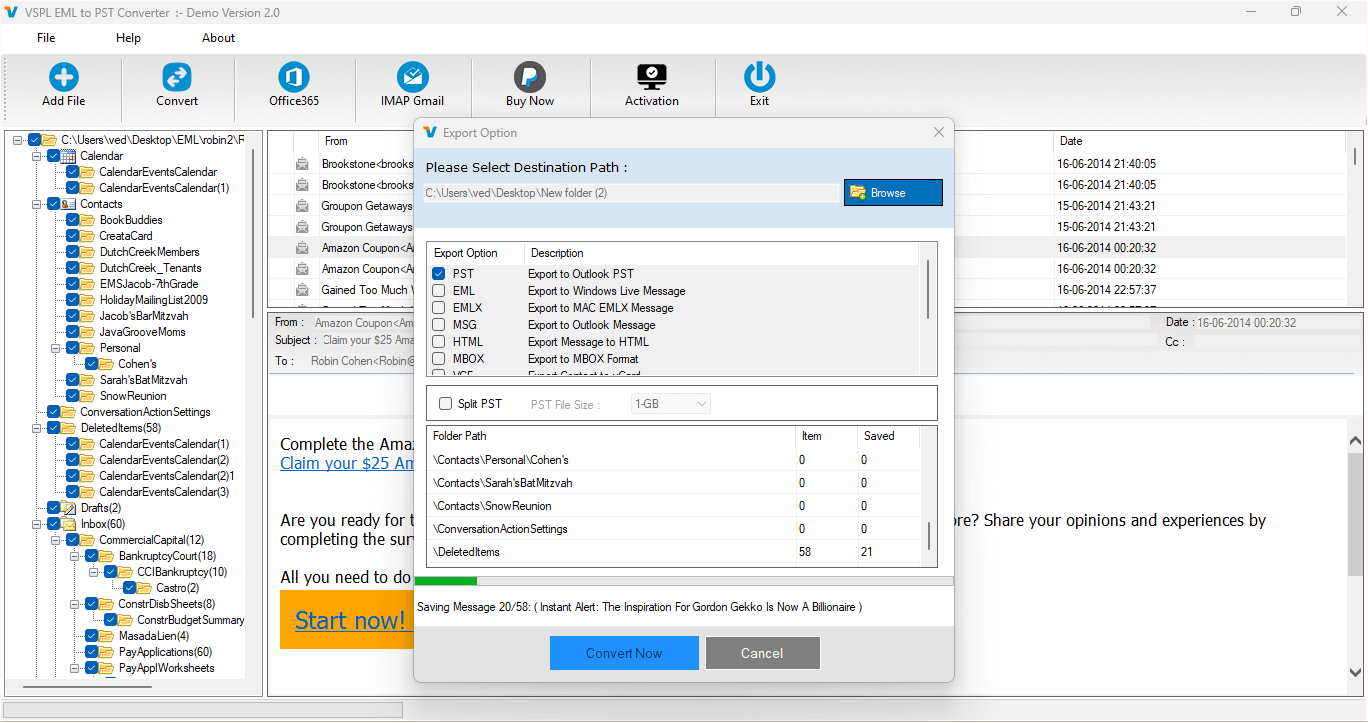
Select the destination location and start the conversion. The software processes the selected EML data while retaining important email properties and folder organization.
Step 6: Access the PST in Outlook
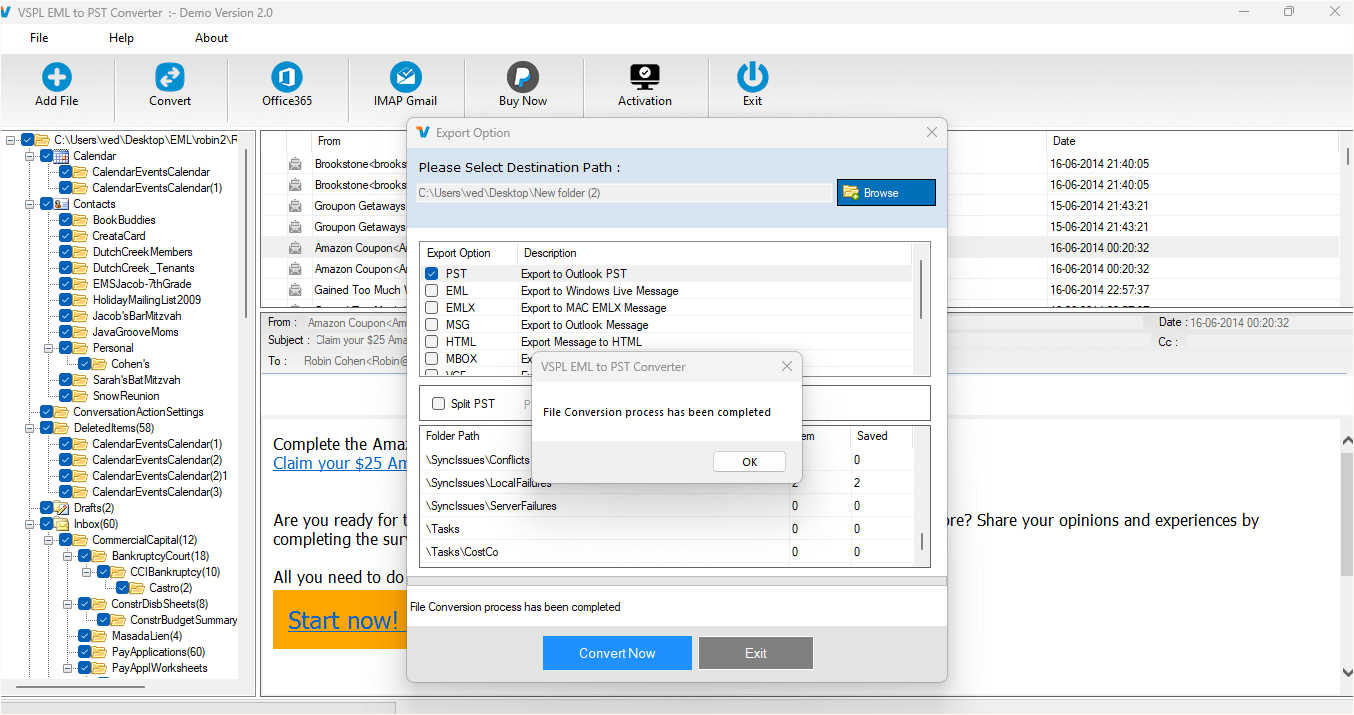
Once the conversion is completed, the resulting PST file can be opened or imported into Microsoft Outlook. Users can then access their migrated emails while retaining the familiar folder arrangement.
Is a free EML to PST converter Suitable for Complete Migration?
A free EML to PST converter can be useful when users want to test the conversion process or migrate a limited amount of data. However, users handling larger email collections should consider features such as folder hierarchy preservation, preview functionality, attachment handling, selective conversion, and batch processing.
The VSPL software provides a free version that allows users to scan and preview EML items, with the demo saving up to 30 items from each selected folder. This can help users evaluate the conversion process before handling a complete mailbox.
Maintain Attachments and Email Attributes
Attachments are often an essential part of business and personal communication. During migration, users need to ensure that documents, images, and other attached files remain associated with their respective messages.
The software provides a preview option for email attachments and supports migrating emails together with their attachments. It also retains important message information and original properties during the conversion process.
Conclusion
Moving EML files into Outlook does not have to mean losing the original folder organization or changing the appearance of email messages. A suitable conversion solution can help users retain mailbox hierarchy, message formatting, attachments, and other important email attributes.
The VSPL EML to PST Converter provides features for previewing EML data, preserving folder hierarchy, retaining message formatting, and creating PST files for Outlook. With the right EML to Outlook converter tool, users can simplify migration and keep their email data organized after conversion.
By choosing a reliable method to EML to PST migration, users can move their email archives into Outlook while maintaining the structure and formatting that make the original mailbox easy to manage.
Convert EML to PST Without Changing Folder Structure and Email Formatting Comments





