How an OST to PST Tool Simplifies Outlook Data Recovery
Microsoft Outlook is one of the most popular email clients that is used by people for their personalprofessional needs. Email messages, contacts, calendar items, tasks, journals, notes,other mailbox information in Microsoft Outlook are stored in vari
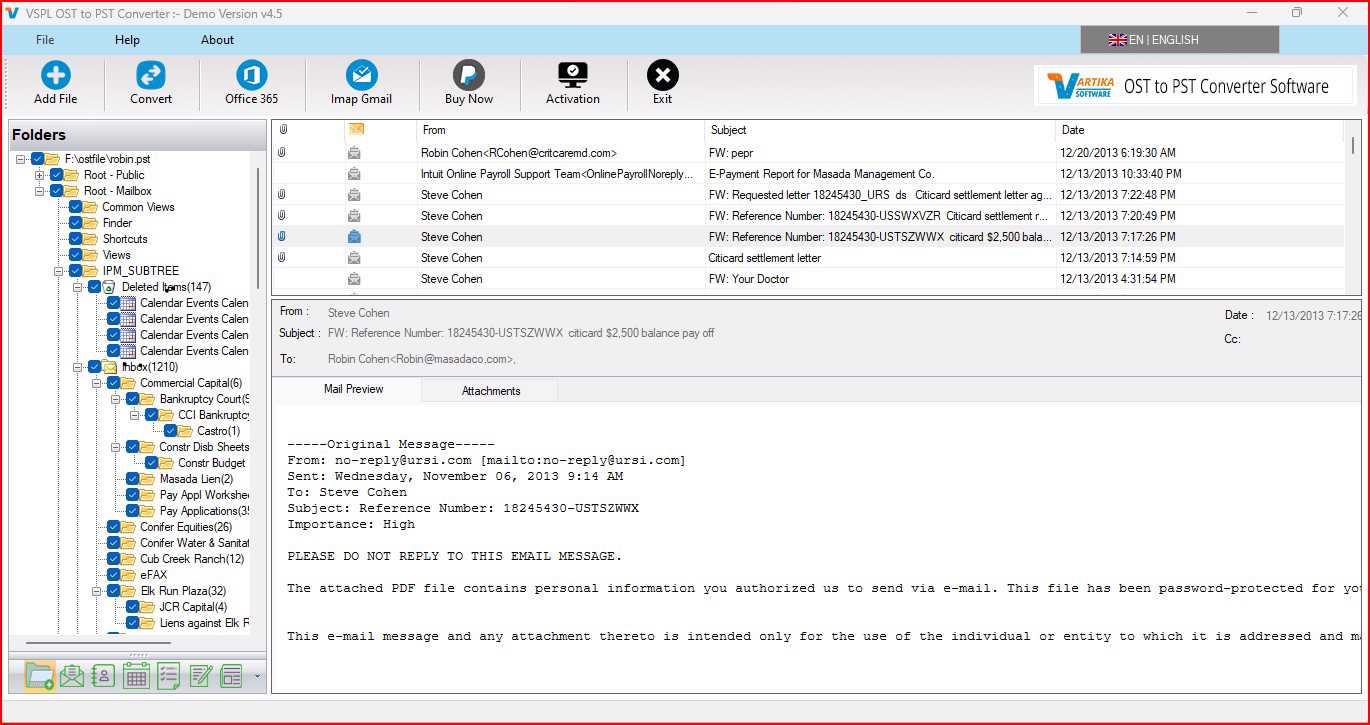
Microsoft Outlook is one of the most popular email clients used for personal and professional needs. Email messages, contacts, calendar items, tasks, journals, notes, and other mailbox information in Microsoft Outlook are stored in various file formats like OST and PST. An OST file lets people work even when there is no internet connectivity, but updates everything when connectivity is restored using the Exchange Server or Office 365 account. While this feature offers many benefits and makes mailbox information available continuously to users, OST files may become unavailable sometimes due to some reasons.
An OST file is prone to corruption and may even become orphaned at times. The result is that you will find it extremely tough to open the file or retrieve important emails or business data from it. This is when the use of the VSPL OST to PST Tool proves to be very convenient for you. It is an efficient OST to PST Converter Software, which enables you to convert OST Files to PST Files and makes it easy to access it through Microsoft Outlook without encountering any sort of trouble.
Why Outlook Data Recovery Becomes Necessary
The Outlook mailbox holds a lot of valuable data related to business communications, projects, bills, customer interactions, as well as personal correspondence. Loss of this data can cause serious disruptions in the working process and decrease productivity. There are plenty of situations when Outlook mailbox recovery is required by users. For instance, an Exchange Server can malfunction suddenly, a profile may become corrupted or a user may lose his/her Outlook mailbox due to various reasons, such as hardware malfunctions, OS crashes, viruses, synchronization problems, etc.
As opposed to PST files, the OST files are strongly connected with the profile they were created in. In case the Exchange account or a profile is unavailable, one cannot gain direct access to this file anymore. Users choose to use a professional recovery tool rather than risk losing their valuable data by using any manual methods.
Understanding the Need for OST to PST Conversion
Most users find themselves asking why they need to convert their OST file to a PST file. This is because PST files are portable and can be added to any Outlook profile; therefore, perfect for backing up and recovering emails and other items. When users convert OST Files to PST Files, they will have all the information available to them without having to rely on the original Exchange server or Outlook account.
A good OST to PST Converter Software also avoids the shortcomings that come with manual recovery tools. Instead of wasting time trying to troubleshoot problems with Outlook, the process is made simple with just a few clicks.
How the VSPL OST to PST Tool Simplifies Outlook Data Recovery
VSPL OST to PST Tool is specially built to restore inaccessible, corrupted, or orphaned OST files completely. This tool scans the mailbox and retrieves all possible information from the mailbox without corrupting any part of the data. The major advantage of using this software is that it is capable of restoring emails, contacts, calendars, journals, notes, tasks, and attachments from highly corrupt OST files even if Outlook fails to open the mailbox.
One other major benefit of the software is that it retains the original folder structure during the entire process of conversion. The user does not have to fear losing any folder or email since all of the folders and emails in the PST file will remain just as it was in the original OST file. Formatting, metadata, time stamp, senders, recipients, attachments, and read or unread status of emails are retained.
Apart from this, the software also offers a preview function that enables users to inspect the data available in their mailboxes prior to carrying out the conversion process. This ensures that the right kind of information is recovered and eliminates any chances of unwanted and incorrect data being extracted from the user’s mailbox.
Furthermore, in cases where there are numerous users of the same Outlook program, it also facilitates batch conversion of the OST file. Rather than manually converting one mailbox after another, the user can carry out the whole process for all the mailboxes at once, which saves a lot of time and increases efficiency. Thus, the VSPL OST to PST Tool becomes extremely convenient for enterprises.
In addition to all the aforementioned features, another benefit provided by this software is its capability of handling large-sized OST files. The vast majority of users of the Outlook program have mailboxes that are several gigabytes in size, and thus manual extraction techniques become difficult for these cases.
The actual procedure is easy to follow. It involves selecting the OST file, letting the program scan it, previewing the recovered mailbox, specifying PST as the output format, and saving the new file. The user does not have to possess any specific expertise to use the program since it caters to both newbies and IT professionals.
When Is the Use of the Software Necessary?
There are lots of cases when the use of OST Converter to PST is needed. For instance, there might be an unexpected failure of the Exchange Server. This means that the mailbox loses connection to the Exchange Server and becomes impossible to work with. The mailbox is recovered and converted to PST so that it can be opened in Outlook.
One more case relates to the removal of the Outlook profile. When the user deletes the original profile, he/she may not be able to work with the OST file anymore. There is no need to get rid of years of important emails – all that one needs to do is to recover and convert OST Files to PST Files.
Crashes of the system and reinstallation of Windows are other frequent reasons for OST recovery. Having performed the reinstallation of Windows, Outlook will not be able to identify the OST file that was used before. The software allows restoring all mailbox data and putting it back into Outlook without the necessity to have the original Exchange account.
In addition, companies often use the software when migrating from one system to another. Conversion of OST files into PST format makes the migration process easier and makes sure that all the data will be transferred without any losses.
Advantages for Business
Companies depend heavily on such programs as Outlook for business correspondence, contacts with customers, project management, and document exchange. Loss of Outlook mailbox data can slow down business activities and affect the relations with customers.
In addition, the software makes it easier for organizations to plan for disaster recovery because they will be able to restore their mailbox data in cases where their servers crash or experience some form of unexpected failure. The batch conversion feature is appreciated by IT managers because it saves them time when recovering several mailboxes at once.
The software ensures that all of the data in the mailbox is not tampered with, hence ensuring that companies are still in line with their record-keeping policies. This is because the recovered mailbox is a complete one.
Why Choose the VSPL OST to PST Tool
The need to select the appropriate software for recovery should be considered because mailbox files may contain valuable business data. VSPL OST to PST Tool represents a safe and effective tool that enables recovery of inaccessible OST files without any changes made to the source data. Thanks to the powerful scanning algorithm, this software will detect the recoverable elements of the mailbox from a severely corrupted OST file and convert them into Outlook PST files with incredible precision.
The software is compatible with all versions of Microsoft Outlook and Windows. Thanks to the user-friendly interface, the process of recovery can be accomplished easily and rapidly by non-technical users. Features like the option of viewing the content of the mailbox, batch processing of files, preservation of the hierarchy of folders, support for large OST files, and precise recovery make this software a reliable tool for every Outlook user.
OST files that have become inaccessible due to failure of Exchange Server, synchronization problems, corruption of mailbox profile, accidental removal, and system crashes can be converted to PST Files with the help of this tool.
Conclusion
Extracting Outlook mailbox data from corrupt or unreachable OST files should not prove difficult. Reliable OST to PST Converter Software makes the process faster and safer for you. This tool helps you to recover your emails, contacts, calendars, notes, tasks, journal entries, and attachments; it ensures that the integrity of your data in the original mailbox is maintained. Due to its batch processing capabilities, ability to work with large OST files, mailbox preview capability, and PST file creation capability, this tool is highly recommended.
In case you are looking for a reliable OST Converter to PST, which enables you to retrieve your inaccessible Outlook data, the VSPL OST to PST Tool is the best for you. You can convert OST Files to PST Files using this tool.
How an OST to PST Tool Simplifies Outlook Data Recovery Comments





