Outlook Duplicate Remover Tool: Clean and Optimize Your PST Files
MS Outlook emails can become difficult when duplicate message, calendars, contacts, emails entries start filling your mailbox. Duplicate data increases the size of Outlook PST Files
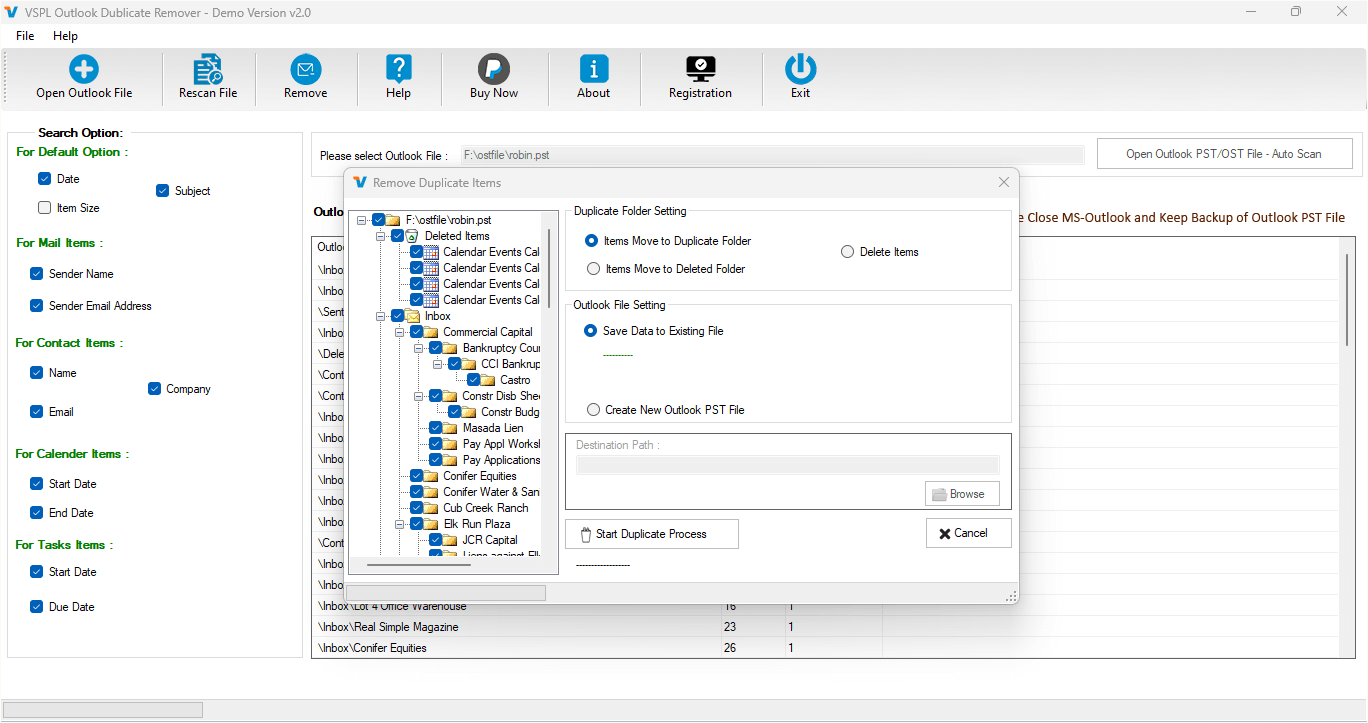
For many users, managing MS Outlook emails can become difficult when duplicate messages, calendars, contacts, and email entries begin to fill their mailboxes. Duplicate data increases the size of Outlook PST Files, slows down Outlook performance, and makes it difficult to search significant emails. In this critical situation, making use of the best Outlook Duplicate Remover Software becomes very important.
The professional and advanced technology and features-based VSPL Outlook Duplicate Remover Software Tool helps you to detect and remove duplicate emails from Outlook PST files easily. The best Outlook PST File Duplicate Email Remover Software allows users to clean their Outlook mailboxes and maintain organized email data with no data loss in less time.
Why Do Duplicate Emails Appear in Outlook?
Many reasons appears duplicate items in Outlook. For example, repeated Synchronization, server errors, importing PST files with multiple items, or manual backup processes may create duplicate calendars, tasks, notes, inbox items, contacts, or outbox items. These duplicates can increase the PST File size and slow down Outlook performance.
To solve this issue, many users prefer a reliable Duplicate Email Remover Software that quickly scans Outlook files and removes unnecessary duplicate emails. The Software helps users to easily clean their Outlook PST Files and improve overall mailboxes and email performance.
What is the VSPL Outlook Duplicate Remover Tool?
VSPL Outlook Duplicate Remover Tool is the most powerful and well-designed application that helps users to remove duplicate items from the Outlook file, such as contacts, journals, notes, emails, inbox items, outbox items, and other items. The Outlook Remover Tool helps to remove duplicate items from the Outlook file and makes the data valuable. Software automatically scans the selected PST file and automatically finds duplicate emails inside folders. After scanning, you can remove the duplicate emails without data loss.
Key Features of Outlook Duplicate Remover Tool
Remove Duplicate Emails from PST Files
The VSPL Outlook PST File Duplicate Email Remover Software is 100% safe and secure tool that is capable of detecting and removing duplicate emails from Outlook PST files. Software scans the entire PST File and identifies repeated messages based on different email attachments and properties.
Remove Multiple Outlook Items
Download Outlook Duplicate Remover Software, which not only removes all duplicate emails but also detects duplicates in mailboxes, emails from contacts, calendars, tasks, notes, and other items. This ensures that the Outlook Mailbox remains organized.
Advanced Duplicate Detection
VSPL Outlook PST File Duplicate Email Remover Software is one of the programs that provides an advanced algorithm to compare selective and multiple fields, such as sender, recipient, subjects, and date, to find duplicate messages accurately.
Works Without Outlook Installation
The wonderful Outlook Remover Tool works without Outlook installation. It supports all MS Outlook versions, including 2021, 2019, 2016, 2013, 2010, 2007, and earlier versions. The software supports both Old and New Outlook and Windows Versions.
Maintain Email Properties
During the removal of duplicate mailboxes, emails from the Outlook file, the VSPLL Outlook Duplicate Remover Software maintains the folders, sub-folders structure, email attachments, email properties- to, bcc, cc, time, subjects, and from, etc.
Save Data into a New PST File
After removing the duplicate emails, all users can save the remaining data into a new PST File. This feature of the Outlook Duplicate Remover Tool helps users maintain fresh and optimized Outlook mailboxes.
How Does the Outlook Duplicate Remover Tool Work?
Step 1: First Impression of Outlook Duplicate Remover for Windows
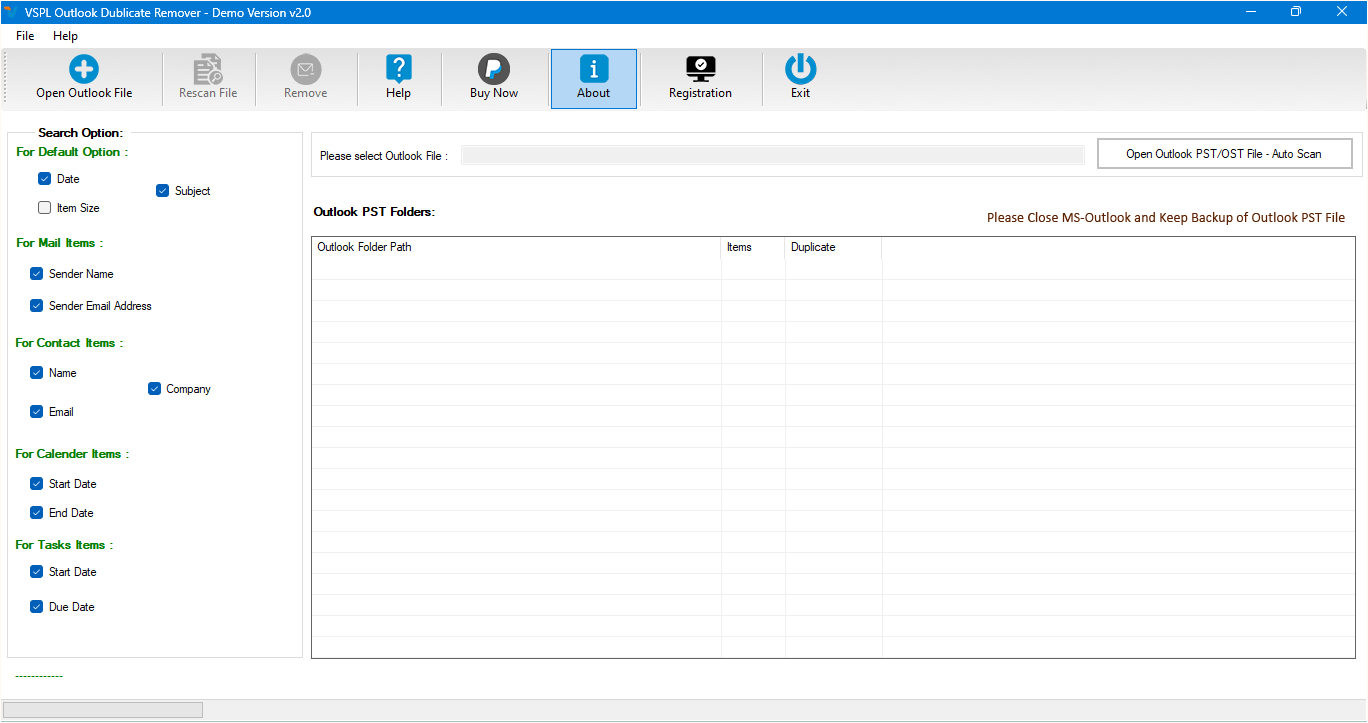
Step 2: Select the Outlook OST or PST file
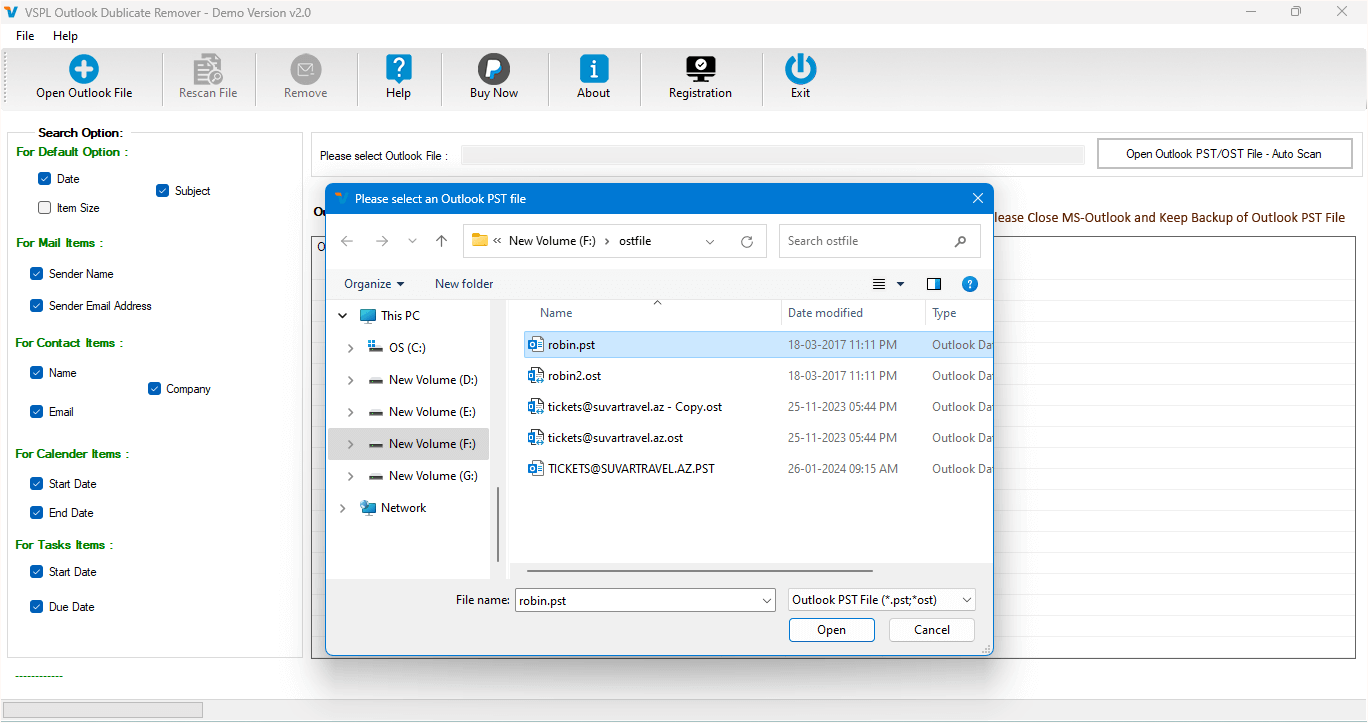
Step 3: Searching for Duplicate Items
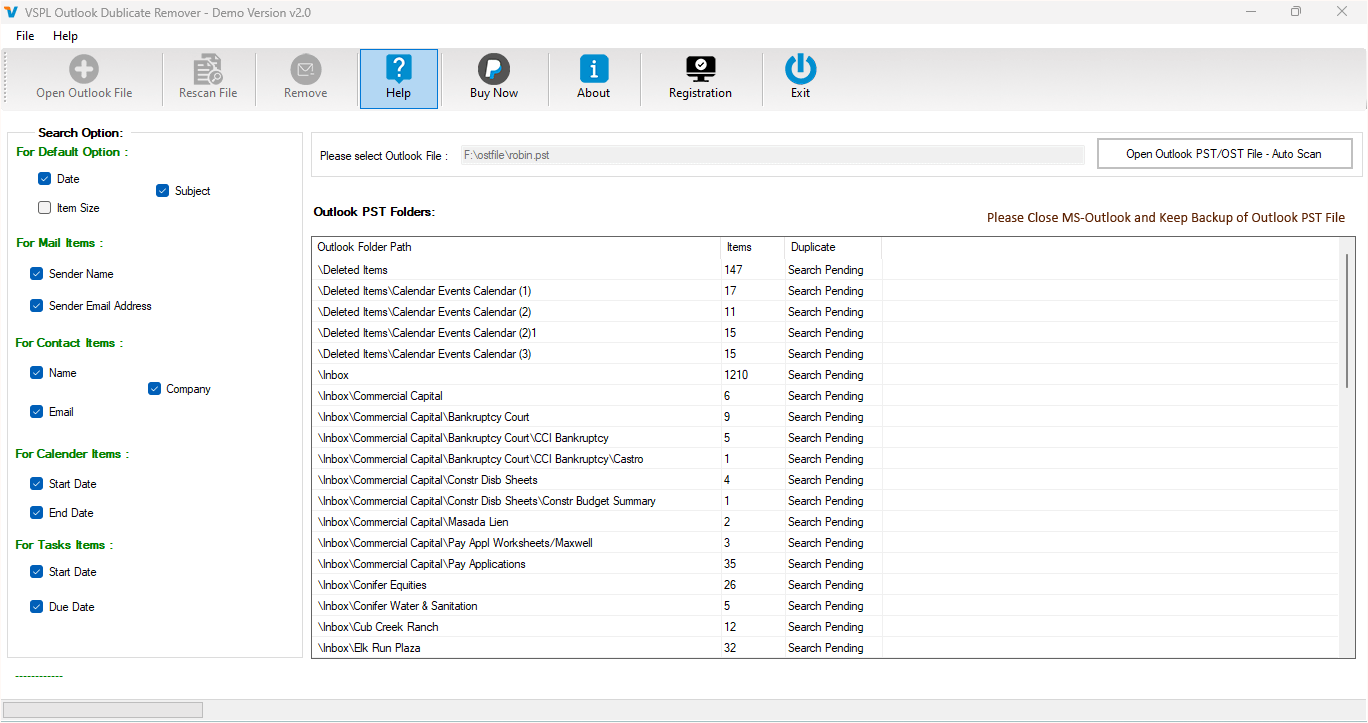
Step 4: Showing Duplicate Items
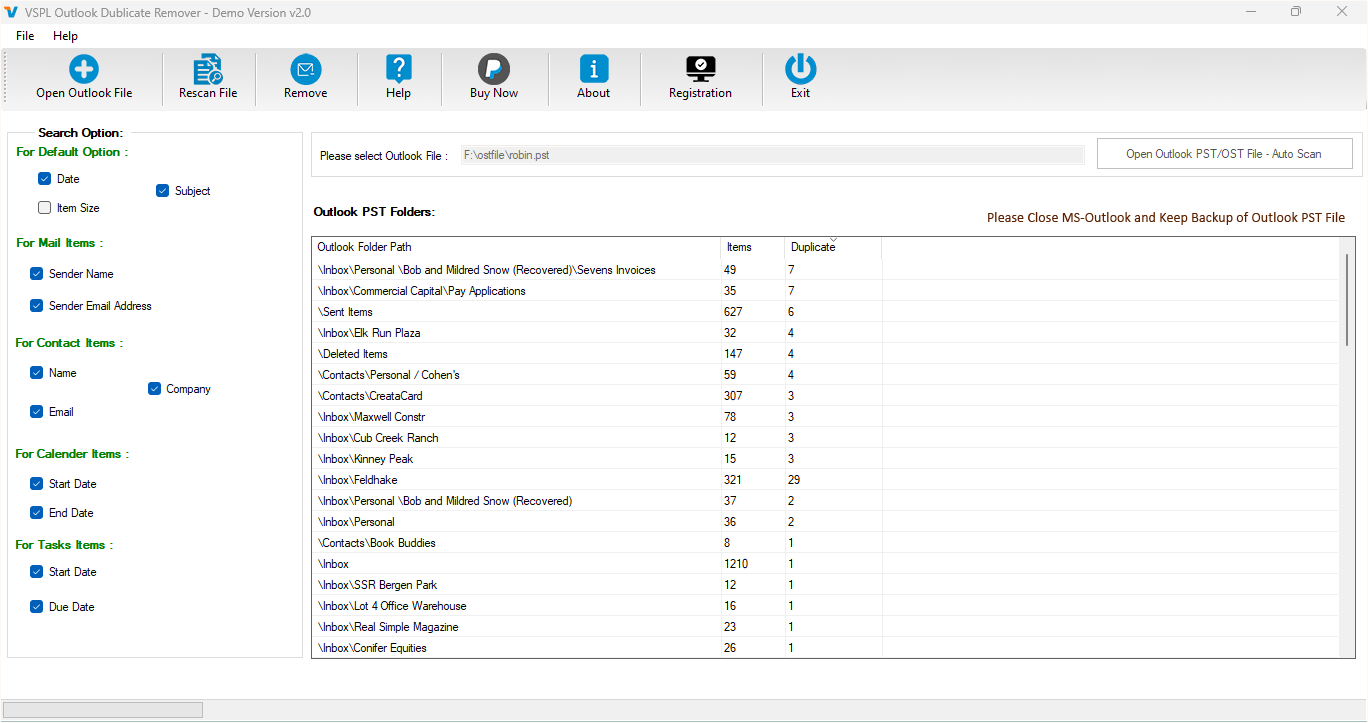
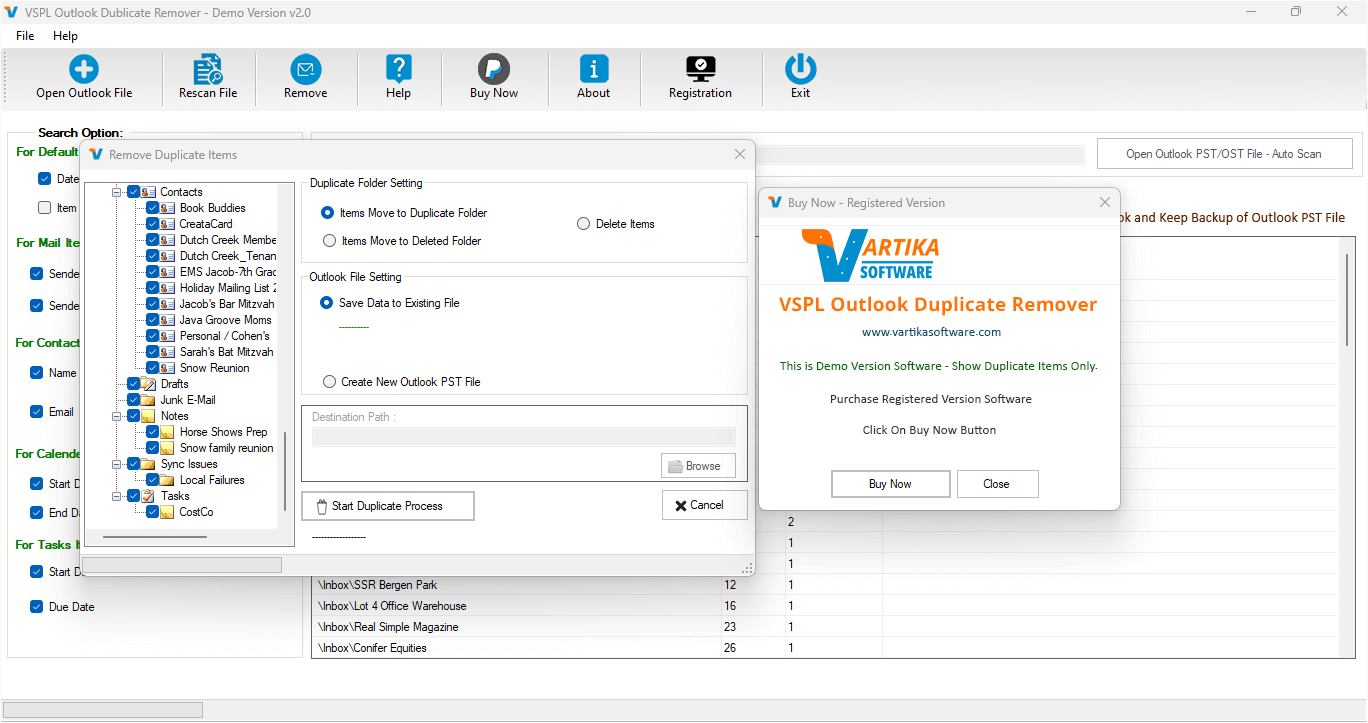
Step 5: Removing Duplicate Items
Step 6: Complete the duplicate items process
Conclusion
Duplicate emails and other Outlook items can increase mailbox size and slow down performance. Instead of removing them manually, all users can download the VSPL Outlook Duplicate Remover Tool for an easy solution to remove duplicate emails from the Outlook file without data loss. With its simple and advanced scanning technology, the Outlook Duplicate Remover Software keeps the PST File clean and optimized
Outlook Duplicate Remover Tool: Clean and Optimize Your PST Files Comments