How to Export Outlook Mailbox Data into MBOX for Email Migration?
Email migration is often needed when there is a change in the email application software, upgrading the operating system,moving mailbox data to a new platform that has another storage mechanism
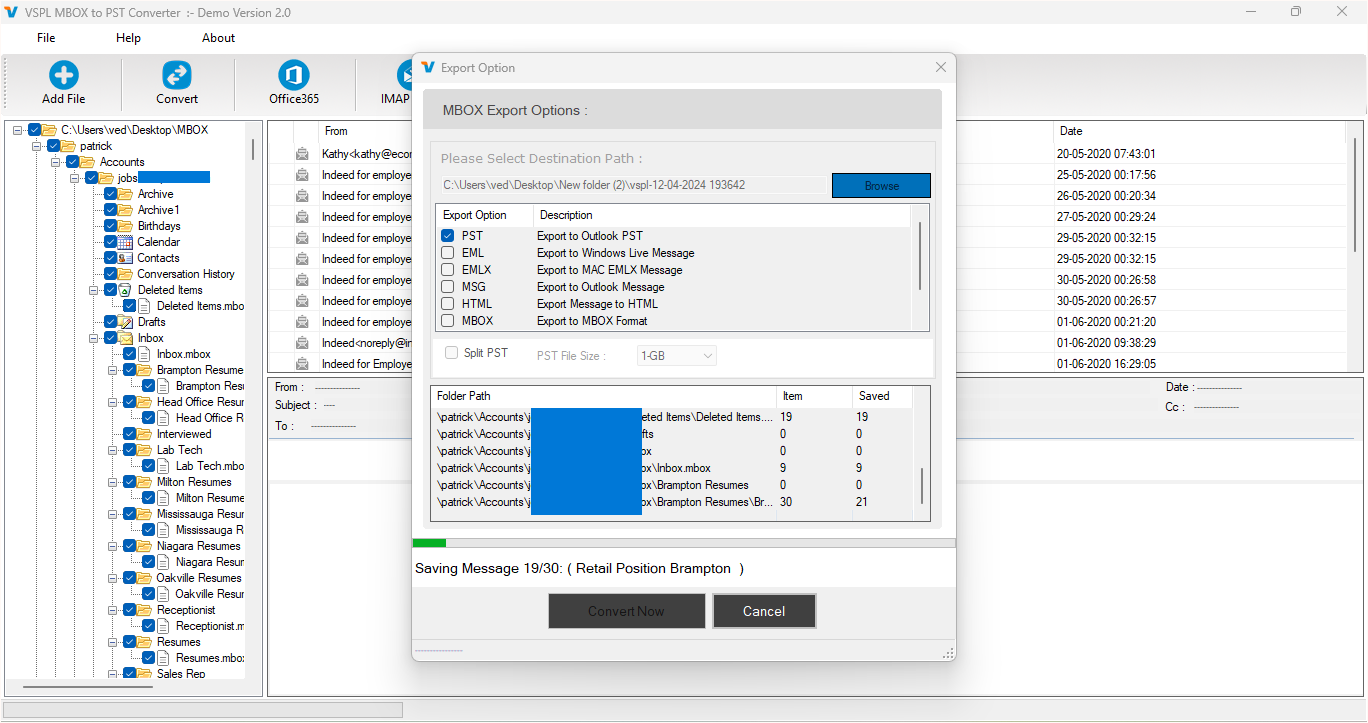
Email migration is often needed when there is a change in the email application software, upgrading the operating system, or moving mailbox data to a new platform that has another storage mechanism. Typically, the Microsoft Outlook software stores mailbox data in PST files, whereas there are other popular email applications that support MBOX files. As PST and MBOX are two different types of mailbox file formats, the migration of Outlook mailbox data is not easy because of differences in these mailbox formats. The use of a special conversion tool can make it easier for users to migrate their emails.
The VSPL PST to MBOX Converter Software can be used by users to export their Outlook mailbox data stored in PST files into MBOX format. It provides a convenient way to convert PST to MBOX while handling mailbox data through a structured conversion process.
Understanding PST to MBOX Email Migration
It is imperative to know the reasons for carrying out conversion before commencing the migration process. PST file is one of the formats usually employed by Microsoft Outlook in storing messages, emails, attachments, folders, and mailbox details, among others. On the other hand, MBOX is an extensively utilized mailbox format compatible with several email applications.
When a user chooses to migrate from the Outlook email program to an MBOX-based application, the mailbox data in the PST format cannot be transferred in its current format but must undergo conversion first. This is where a suitable and reliable best PST to MBOX converter will come in handy.
The conversion process entails reading of the mailbox details contained within the PST file and generating of an MBOX file that can be imported into an MBOX-compatible email application. This is especially useful for a mailbox containing many years of valuable business and personal correspondence.
How to Export Outlook Mailbox Data into MBOX
The process of conversion is very simple. The user has to load the application and choose the required PST file that needs to be converted. Once the file has been loaded, the application analyses the mailbox information and shows all the folders along with email data available in the PST file.
There is an option to preview the mailbox data prior to conversion. This feature is very useful as it enables the user to check what kind of mailbox data is present in the selected PST file.
Once the required mailbox data is chosen, the user can proceed to convert PST to MBOX in the desired format. The application converts the PST data into MBOX format, and the resulting MBOX file can then be used in MBOX-supported mail clients.
Preserve the Original Mailbox Organization
Email migration does not only involve moving emails from one file format to another but also the preservation of the structure of the mailbox in its original form. The PST could have many folders and subfolders along with categorized emails, and if that structure is lost, then managing the migrated mailbox will be a challenge.
The VSPL PST to MBOX Converter Software comes with an additional feature of preserving the folder structure while converting the file format. In this way, the user will be able to maintain the organized structure of his/her Outlook mailbox and will be able to search for emails after migration.
The other thing about the VSPL software is that it concentrates on the preservation of email content along with the message metadata such as senders/receivers information and dates, etc. Such information becomes highly essential for business users.
Support for Different Outlook PST Files
The PST files may be generated via various editions of Microsoft Outlook and, consequently, compatibility may be an issue in the migration process. The application provides support for PST files connected to several editions of Outlook such as Outlook 2021, 2019, 2016, 2013, 2010, 2007 and 2003.
ANSI and Unicode formats of PST files are supported by the software as well. Such a feature allows the user to handle PST files created via various editions of Outlook. In addition, support for password-protected PST files is provided, which can be helpful for processing the protected mailbox data.
One more advantage is that no installation of Outlook is required for the conversion process. This is convenient for users that do not have this program installed on their computers but can access their PST backup files.
Preview Data Before Conversion
The practicality of a PST conversion process also includes the capability to review the source mailbox prior to producing an output file. The user does not have to convert the whole PST immediately since they can browse the file and get an overview of the folders and emails contained in the PST.
This will allow the user to be sure whether the right PST file was chosen and whether the mailbox data needed is available. It also gives more control over the conversion process, especially when there is a lot of folders in one PST file.
Users interested in selectively exporting Outlook emails will find this feature useful. They can review the available mailbox information before proceeding with the conversion and select the required data accordingly.
Why Choose a Dedicated PST to MBOX Converter?
Migrating emails manually can be a complex task if there is a lot of data in the mailbox. Users may face the issue of incompatible formats, missing folders, or problems in transferring historical emails. The use of a special converter minimizes these issues by dealing with the problem of format conversion.
The best PST to MBOX converter should not only perform the basic function of conversion but also support common PST formats, preserve mailbox structure, have the feature of previewing source data, and create MBOX data in a usable form. All these features will make the process more efficient and decrease the chance of errors occurring due to manual intervention.
The VSPL PST to MBOX Converter Software combines all these features in one program. With the help of it, users can load PST data, preview the mailbox, maintain the folder structure, and convert PST to MBOX without performing any complex technical steps.
Conclusion
In transferring Outlook mailbox data into an email system using MBOX format, there is a need for the appropriate format conversion because PST and MBOX are formatted differently. It can be said that the right converter helps in transferring the emails from Outlook while preserving important data within the email mailbox.
With its compatibility with different versions of Outlook, ANSI and Unicode PST, password-protected PST, mailbox preview, retention of the folder hierarchy, and MBOX format generation, the VSPL PST to MBOX Converter Software allows for efficient email migration regardless of whether the user intends to change email applications, retrieve information from archived Outlook files, or simply Export Outlook emails in MBOX format. The software provides a practical approach for users who need to convert PST to MBOX while maintaining important mailbox information.
How to Export Outlook Mailbox Data into MBOX for Email Migration? Comments





